SSTV: the pictures
Receiving pictures, the gallery, sending a picture to the radio
The pictures the radio receives
With the output of the SSTV module on 3 LIVE HI-RES the picture arrives on the phone while the radio receives it, line by line, and at the end it is saved in the gallery by itself. With 2 SAVED PICTURE it arrives all at once when it is finished.
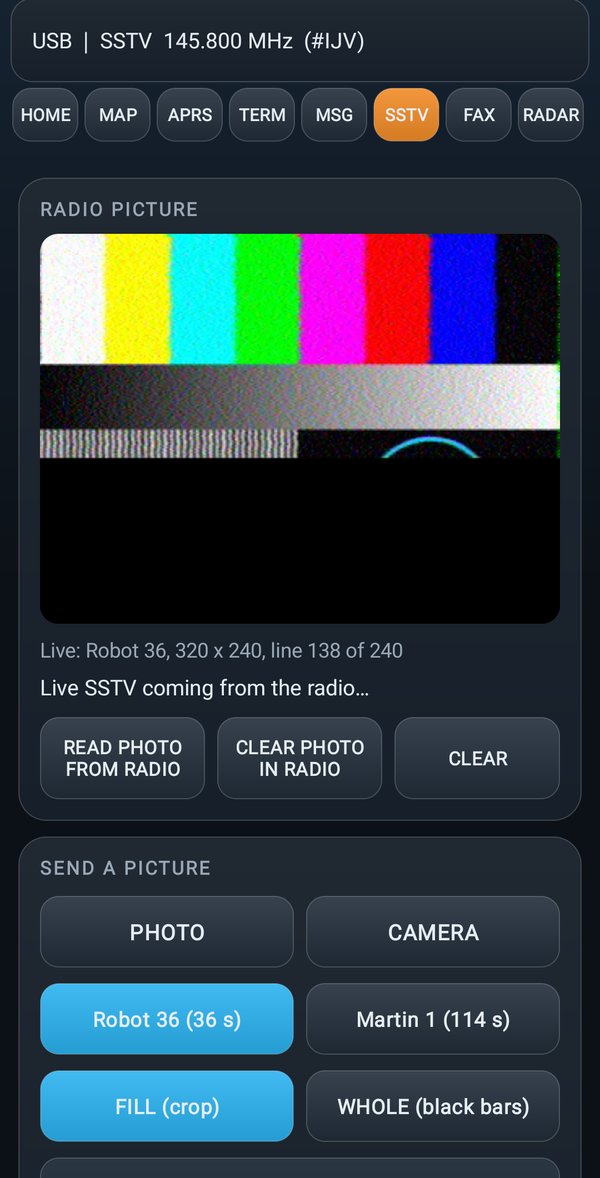
In the RADIO PICTURE part:
| Button | What it does |
|---|---|
| READ PHOTO FROM RADIO | brings into the phone the last picture received by the radio |
| CLEAR PHOTO IN RADIO | deletes the picture in the radio |
| CLEAR | clears the phone screen |
To read and deleteThe radio must be on the VFO, outside the SSTV module.
The gallery
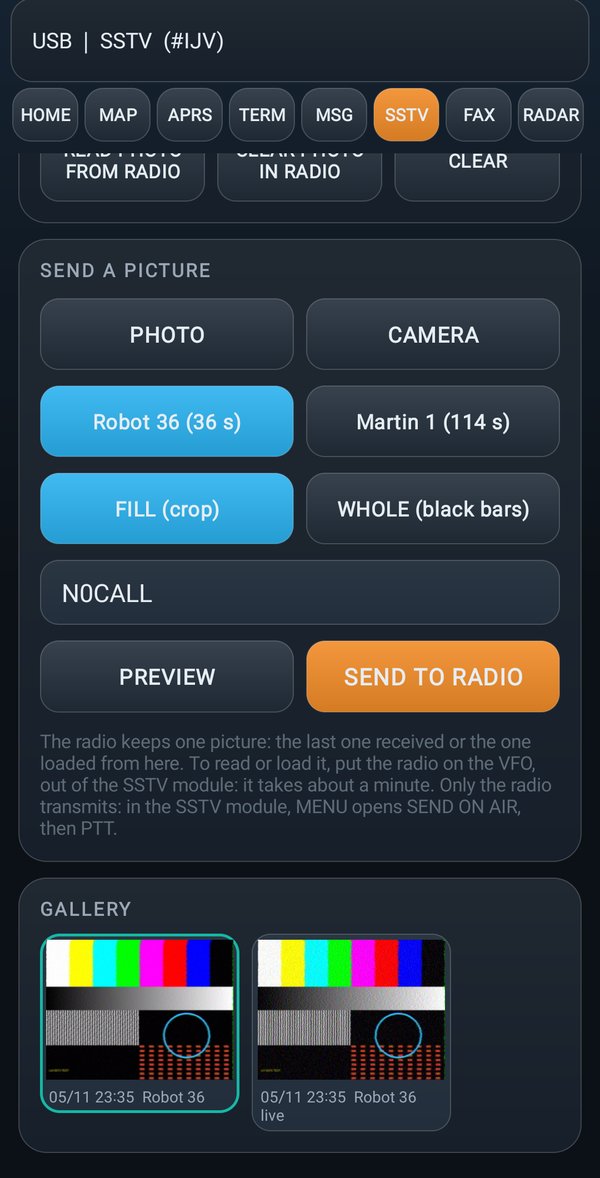
All the pictures received and sent. A tap opens the picture; a long tap opens the menu:
| Item | What it does |
|---|---|
| LOAD INTO RADIO | puts the picture into the radio, ready to transmit |
| SHARE | sends it with another app (messages, email...) |
| SAVE AS... | saves it in a folder you choose |
| DELETE | deletes it from the gallery |
Sending a picture to the radio
The picture goes into the radio, and then the radio transmits it in SSTV.
Before you startThe radio connected with the cable, on the VFO, outside the SSTV module.
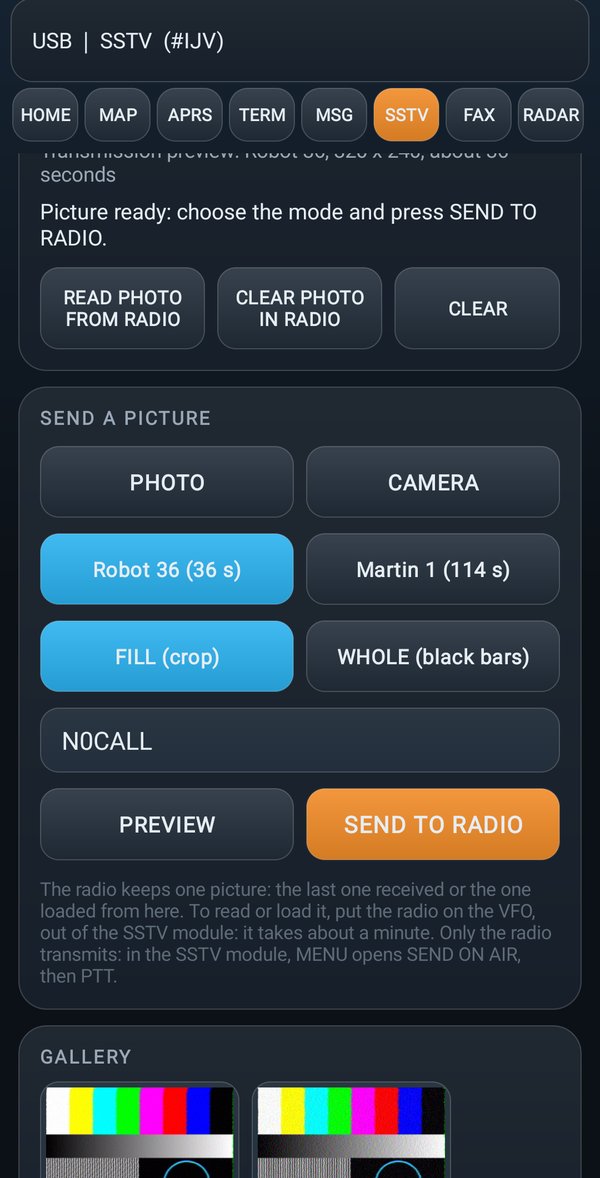
- In the SSTV view, under SEND A PICTURE, tap PHOTO to take a picture from the phone, or CAMERA to take one now.
- Choose the SSTV mode (for example Robot 36 or Martin 1).
- Choose how to make it fit: FILL (crop) fills the whole picture and cuts the edges; WHOLE (black bars) keeps it all and adds black bands.
- Write the callsign to print on the picture.
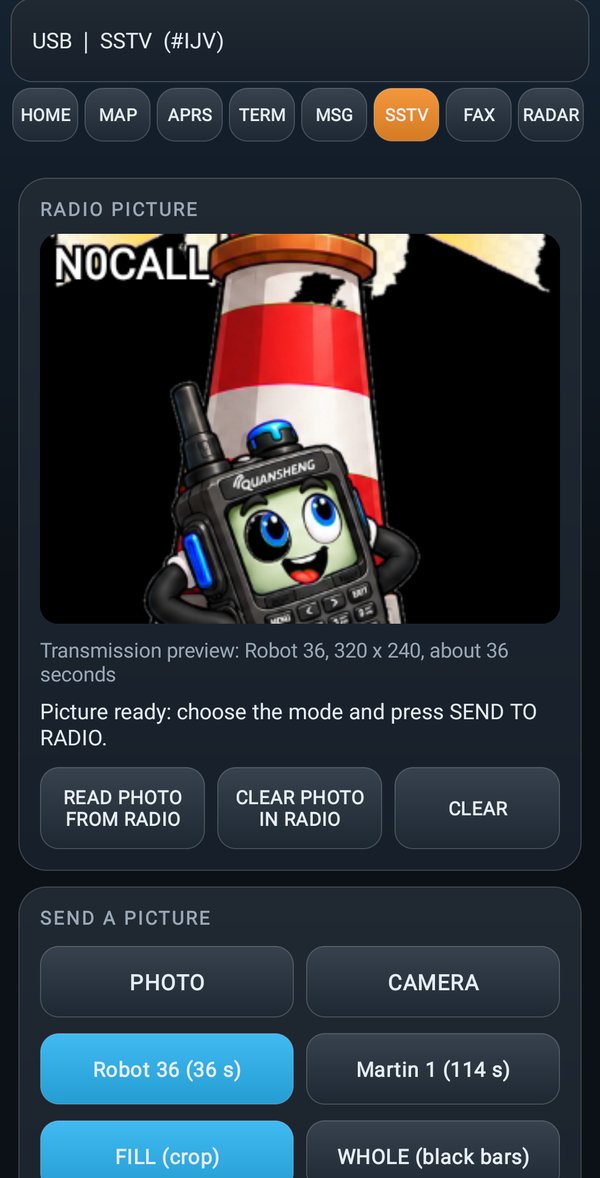
- Tap PREVIEW to see how it looks.
- Tap SEND TO RADIO: a bar shows how much is left.
- On the radio open the SSTV module, press MENU (SEND ON AIR), choose the mode and transmit with PTT.
If the radio is receiving a pictureWhen you tap SEND TO RADIO while the radio is receiving, the app asks:
The radio is receiving a picture. Stop it and send yours? The incoming one is saved in the gallery with the lines already received.With STOP AND SEND the reception stops and your picture starts; the one arriving is not lost, it goes into the gallery with the lines already arrived. With Cancel the reception finishes as before.